
Tokimeki Memorial 3 v0.17: from new game to your first weekend
Patch v0.17 is built. The last post was all about your name. Since then, the rest of the new game setup went English, and I sat down and played into the first school week to see what still needed work.
Birthday and blood type
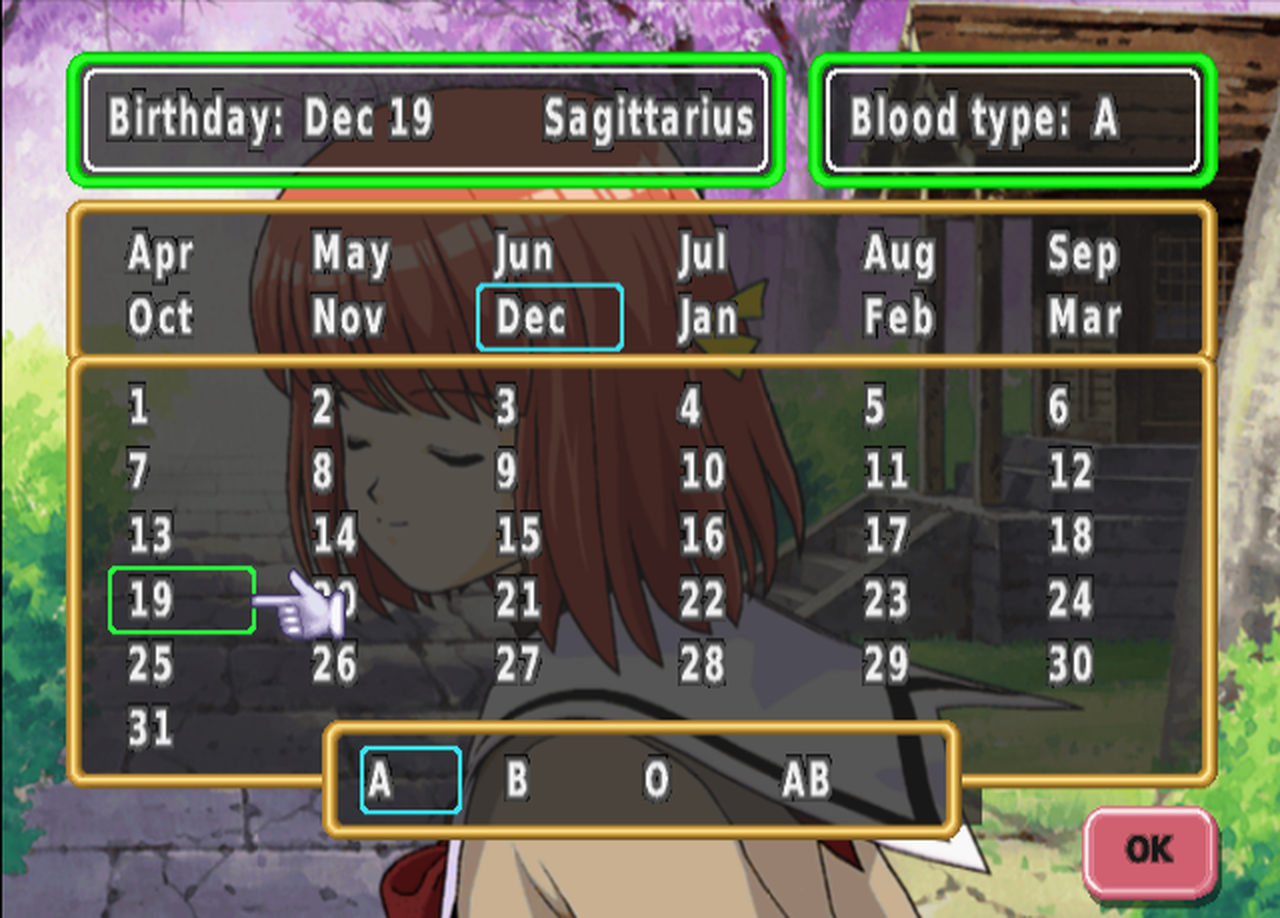
The birthday picker now shows English months and days, and the box at the top spells out your birthday and star sign. The first version of this screen had grey squares behind every letter and highlight boxes sitting off to the side of the words. Each grey square was sized for a Japanese character, so English never lined up with them. They're gone now, and every highlight box sits right on its word.
The EVS voice setup
TM3's big trick is EVS: the girls actually say your name out loud. Right after naming, the game asks how your name is read, so it can build those voice clips. That whole screen is English now, from the buttons to the memory card prompts for saving your EVS data.
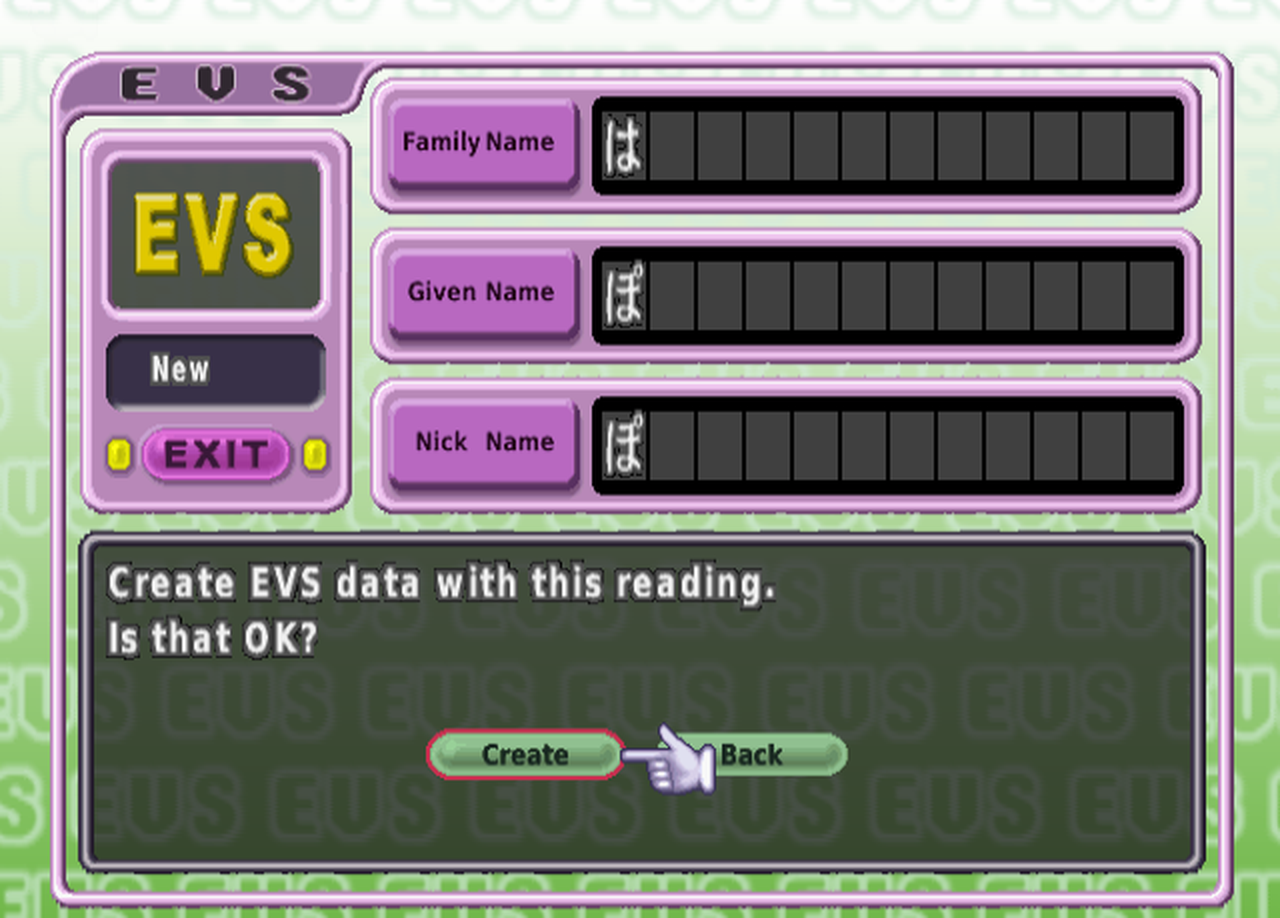
You still type the reading in hiragana, since that's what the voice system understands.
Your weekend
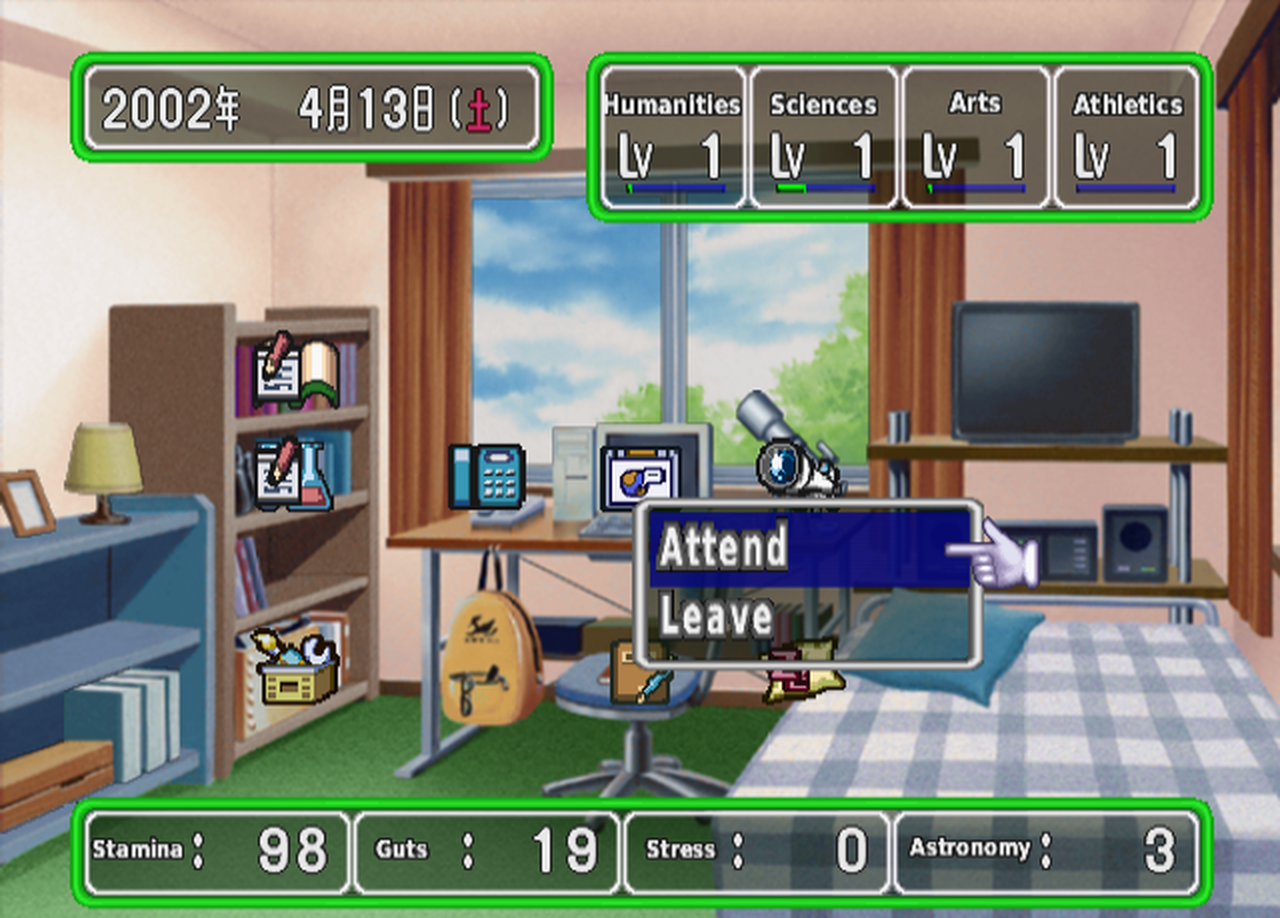
The room screen came next. The little pop-up names on the icons were sized for two Japanese characters, so "Hobby" and "Phone" spilled out of their boxes. They size themselves to the English word now.
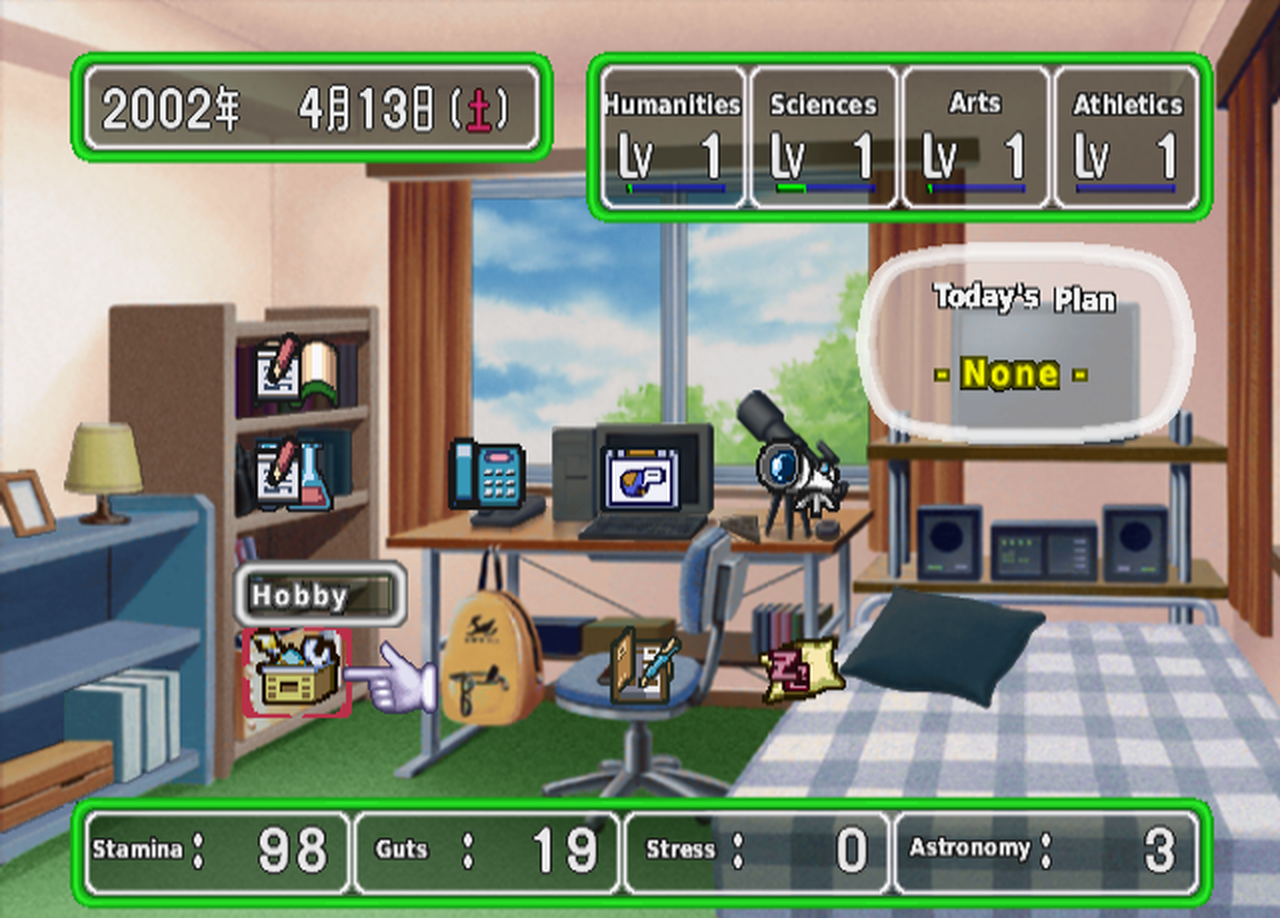
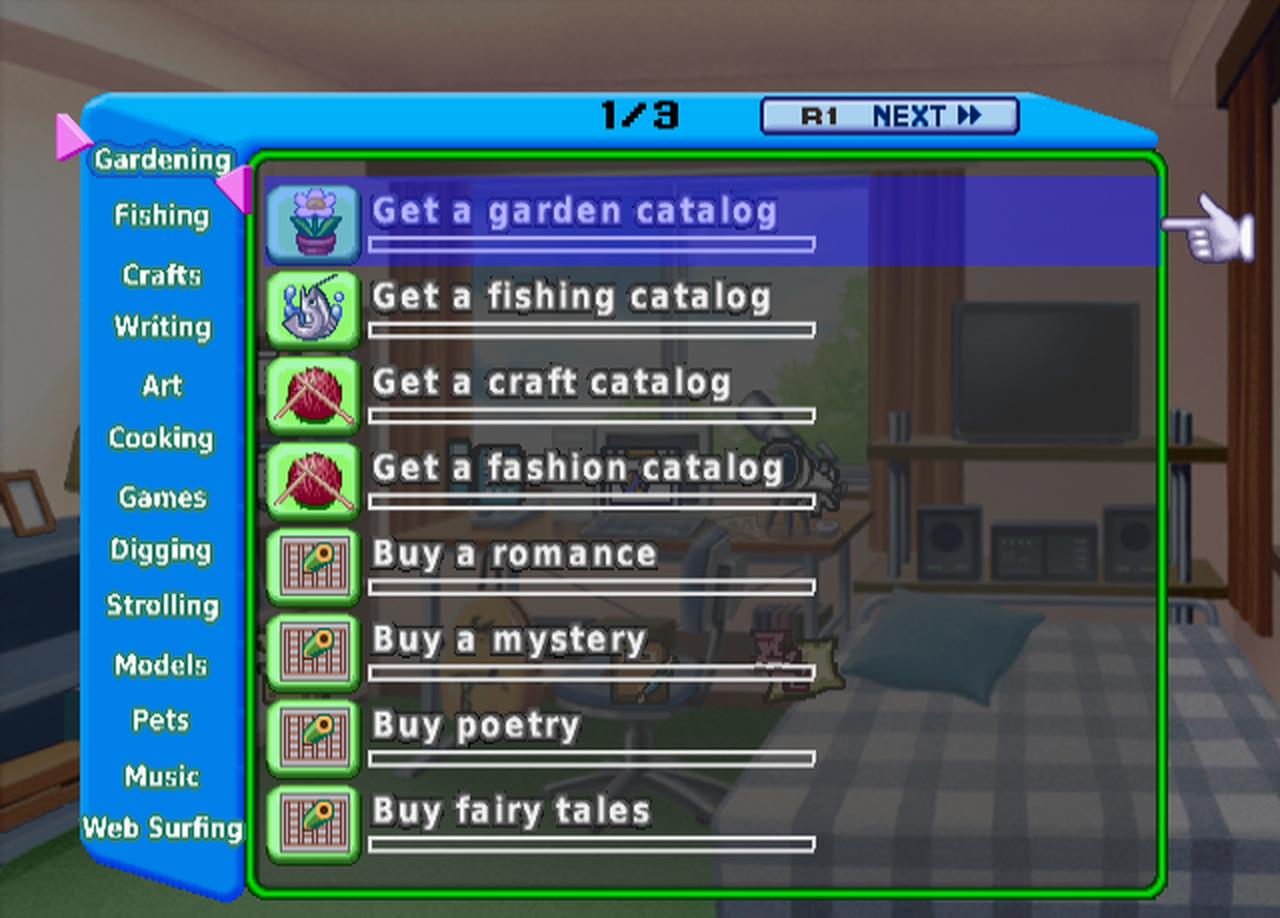
The hobby list is English, all fourteen hobbies and every project in them, from garden catalogs to model kits.
Once you join a club, your club item gets a small menu for going to practice or leaving the club.
The in-game web
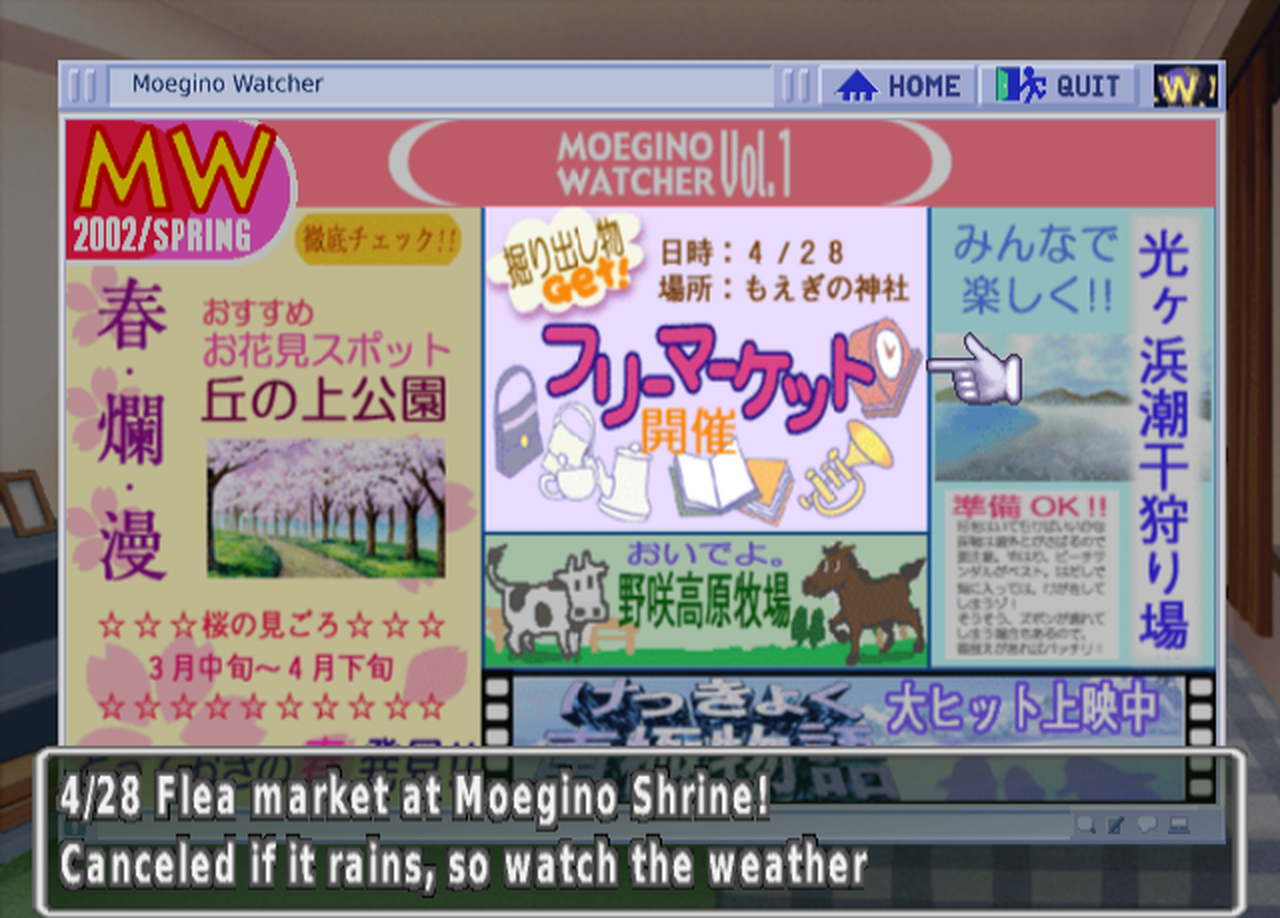
The computer in your room opens a little web browser with bookmarks, a weekly forecast and Moegino Watcher, the town's events magazine. The site names are English, and so is the caption at the bottom of every Watcher page, for every issue in the game. The magazine pages themselves are pictures full of Japanese, so those will take longer.
Fixes from playtesting
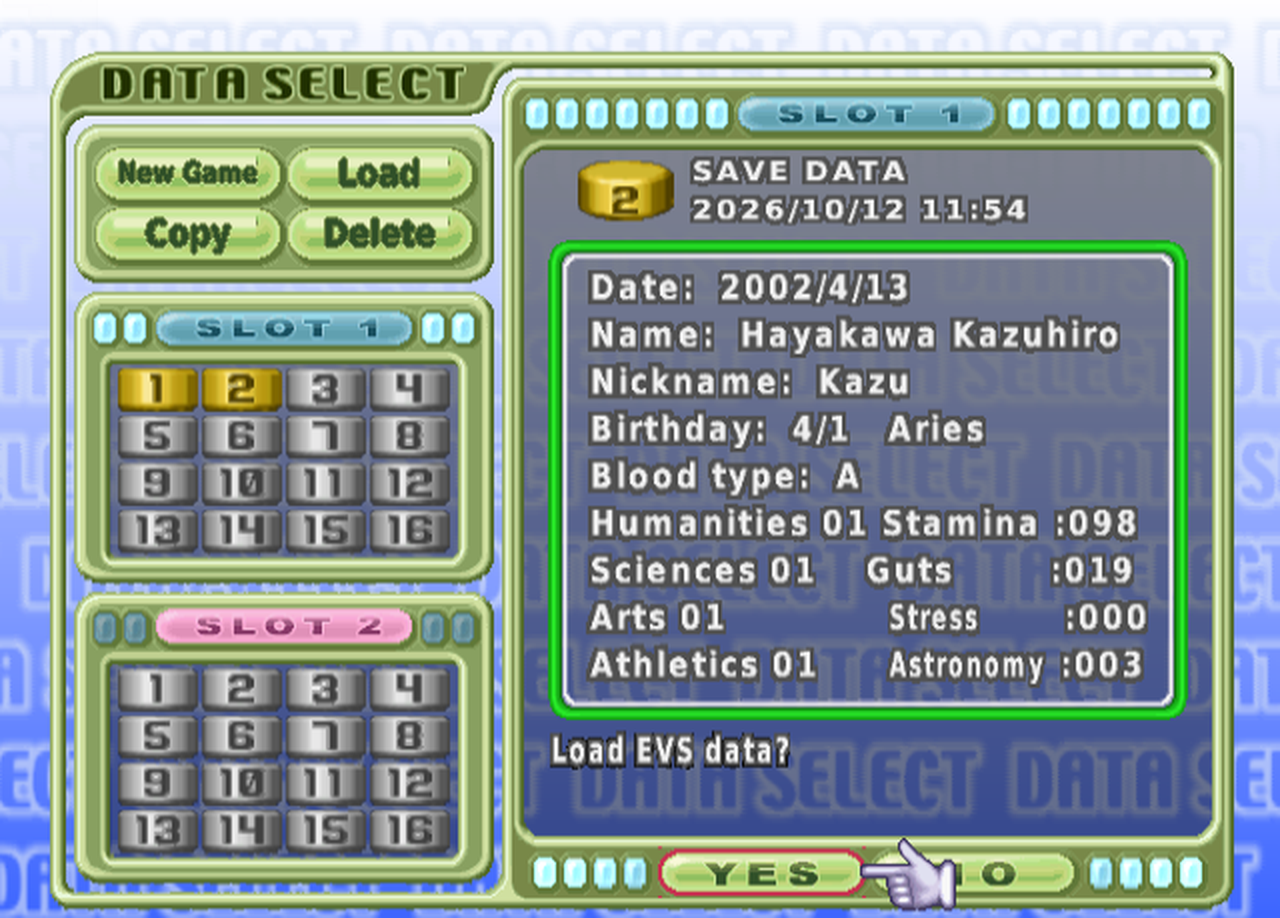
- Long club names like Broadcasting overlapped other text on the save screen. They fit now, and the number after the club name in your stat bar shows in full again.
- The plan bubble's "none" and the holiday names are in English.
- The short status messages, like getting sick or starting summer vacation, are English.
- A few memory card messages and the overwrite prompt on the save screen were still Japanese.
How far along
- Menus and screens: nearly all English. The profile cards and the hobby result messages are next.
- Story and choices: still about 2% drafted. That part is the long haul.
There's no patch to download yet; when there is, it'll be announced here on Second Button.
Comments
No comments yet. Say hi!